Quick Answer
Your thermostat is telling you that its filter-maintenance condition has been reached. That condition is not universal. It may be elapsed time, accumulated fan runtime, a user- or installer-selected interval, or a signal from certain system-specific monitoring hardware.
Check the correct HVAC filter, its last service date, and the instructions for both the filter and thermostat. Replace the filter if it is due, damaged, wet, poorly fitted, or loaded enough to require service. Then acknowledge the reminder using the exact thermostat model’s instructions. Do not assume the message alone proves the filter is physically clogged.
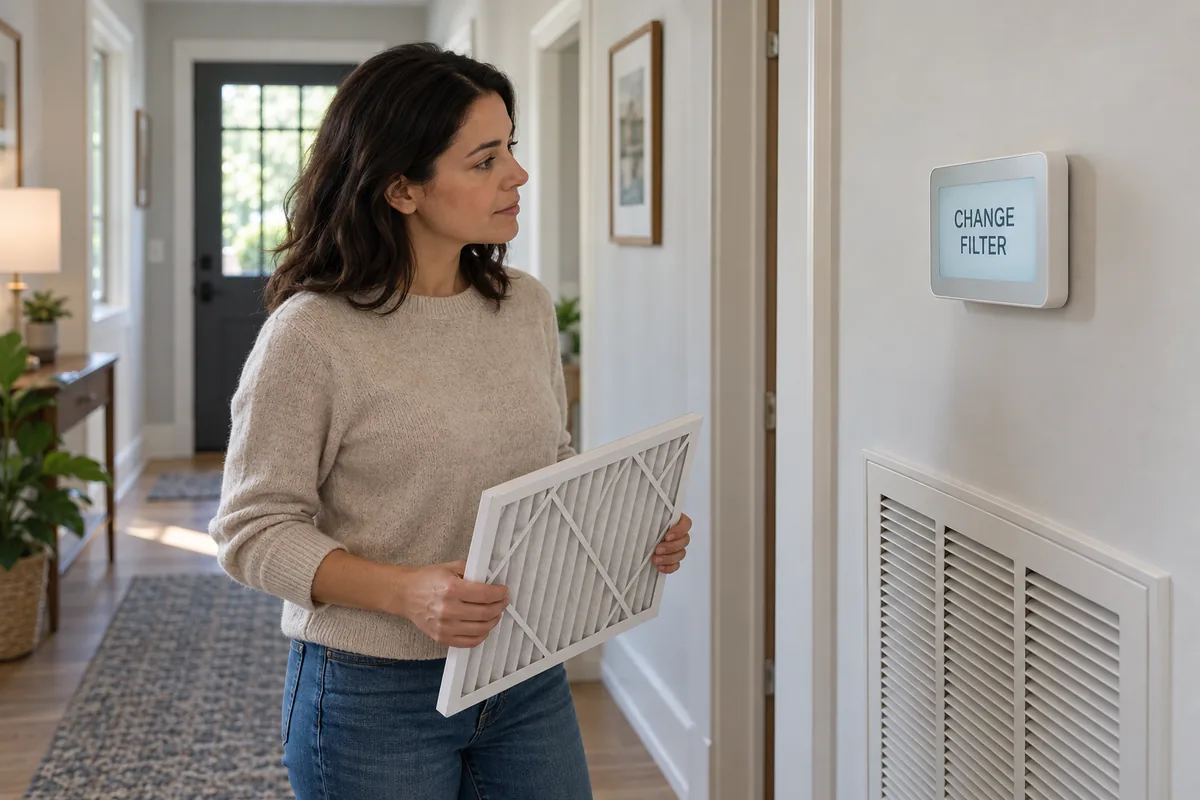
What Does “Change Filter” Mean on a Thermostat?
The message means that a filter reminder configured for the thermostat or HVAC system is due. Manufacturers use several labels—Change Filter, Replace Filter, Filter, Filter 1, Filter 2, or a maintenance notification—but the display is not a standardized diagnosis shared by every brand and model.
Current documentation shows the range. Google Nest describes a filter reminder based on system use and a recorded last-change date. Honeywell Home’s T6 Pro II documentation allows filter reminders to be configured by fan runtime or calendar days. Those examples support a common pattern, not a rule for every thermostat.
The message is also different from a heating or cooling fault code. If the display identifies a separate equipment fault, safety alert, or service code, use the system documentation or qualified service rather than treating it as an ordinary filter reminder.
Does the Thermostat Know the Filter Is Dirty?
Often, no. A calendar counter knows how much time has passed. A fan-runtime counter knows how long the thermostat recorded the HVAC fan operating. Neither one has to look at the filter or measure the dust held in its media.
There are important exceptions. Some communicating HVAC systems and optional controls can use filter-monitoring information. For example, Honeywell Home documents an optional dry-contact dirty-filter alert tied to pressure drop across a filter, while Rheem’s EcoNet guide describes media-filter monitoring on supported equipment. Those features depend on compatible hardware and configuration; they do not justify saying that all smart thermostats detect dirty filters.
This distinction matters because the display cannot be interpreted safely from the words alone. The same Change Filter wording can represent a routine counter on one thermostat and a system-integrated condition on another.
How Do Filter Reminders Usually Work?
| Reminder basis | What it tracks | What it does not prove |
|---|---|---|
| Calendar interval | Days or months since a stored service date or reset | That the filter reached a specific dirt level |
| Fan runtime | Accumulated HVAC fan operating time | How much debris the filter captured |
| Configurable or proprietary logic | Model-specific settings, system use, or manufacturer logic | That another thermostat behaves the same way |
| Condition monitoring on some systems | A compatible pressure, airflow, or communicating-system input | That every Change Filter message uses a sensor |
Runtime can be more responsive to system use than a simple calendar interval, but it still does not know everything that affects loading. Pets, construction, smoke, outdoor particles, open windows, filter media, fit, and household activity can change how quickly a filter loads. Conversely, a fan that rarely runs may leave a filter looking light when a calendar reminder becomes due.
Some thermostat families also allow separate filter reminders or accessory reminders. A Filter 2 or humidifier-pad message may refer to a different component. If the label is ambiguous, identify the configured accessory before servicing anything; the HVAC filter and whole-house humidifier media are separate parts.
Why Does the Message Appear After You Changed the Filter?
Replacing the physical filter does not automatically update every thermostat’s maintenance record. Many systems need a separate confirmation such as Reset, Dismiss, Done, or an updated Last Changed date. If that step was skipped, the old reminder can remain on screen or return soon.
Other possibilities include:
- the reminder interval was not restarted after the previous service;
- the thermostat has more than one filter or accessory reminder;
- fan runtime accumulated faster than expected because of weather or a continuous-fan setting;
- the configured interval is shorter than the filter manufacturer’s or household’s actual service plan;
- a communicating system is reporting a separate filter-monitoring condition;
- the replacement was installed at a different location from the filter named by the reminder.
Do not clear an unexplained message repeatedly and assume the maintenance is complete. First confirm which component the reminder represents and whether the correct filter was actually inspected.
What Should You Do When the Reminder Appears?
- Identify the exact message and thermostat model. Photograph the screen if the wording disappears. Note whether it says Change Filter, Filter 1, Filter 2, Service, or something else.
- Check the model’s reminder documentation. Determine whether this reminder is calendar-based, runtime-based, configurable, or connected to system monitoring.
- Locate the correct HVAC filter. It may be behind a return grille, in a duct rack, beside the furnace or air handler, or in a media cabinet. Use the filter-location and size guide if the accessible holder is unclear.
- Inspect the filter safely. Follow the equipment’s shutdown and access instructions. Check loading, moisture, damage, fit, and the service record without opening energized control compartments.
- Decide from the filter and system guidance. Use the product and equipment instructions plus actual conditions. The detailed replacement-timing guide explains why no single calendar interval fits every home.
- Install a correct replacement when due. Confirm size, supported depth, fit, and the airflow-arrow direction. Do not force, trim, fold, or stack a filter.
- Acknowledge the reminder as documented. Record the service date so the next reminder starts from accurate information.
If the filter looks unexpectedly clean, that does not automatically make the reminder wrong. The clean-filter troubleshooting guide covers low runtime, wrong location, poor fit, bypass, and other reasons appearance can be misleading. If the media is visibly loaded or airflow symptoms are present, use the clogged-filter signs guide rather than diagnosing from the thermostat message alone.
How Do You Reset a Filter Reminder?
Use the reminder control documented for the exact thermostat model. There is no safe universal button sequence. On one model the action may be in a Reminders menu; on another it may appear when you dismiss the alert; a connected thermostat may also offer the control in its app.
For example, Honeywell Home’s FocusPRO N100 manual documents a model-specific path for resetting its Replace Filter reminder. Nest tells the user to mark the filter as changed so its runtime estimate starts again. These procedures cannot be mixed and matched across models.
What If the Reminder Keeps Coming Back?
Start by checking whether the reminder was actually acknowledged and whether its interval matches the intended maintenance plan. A short calendar setting, high fan runtime, a second configured filter, or an accessory reminder can all make the next notification seem early.
If the documented reset succeeds but the same message returns immediately, review the thermostat’s support information for that exact behavior. For a system with actual filter monitoring, verify that the correct filter is installed and seated and that the monitoring feature is being interpreted according to the equipment manual. Do not bypass a sensor or disable a safety or service input merely to remove the display message.
Ask for HVAC or thermostat support when the message is paired with abnormal heating or cooling, repeated shutdowns, an unfamiliar equipment code, or instructions that require access beyond routine homeowner maintenance. The filter reminder itself is not proof of damage, but separate operating symptoms deserve their own diagnosis.
Filter Wizard Recommendation
Treat Change Filter as a prompt to verify maintenance, not as a universal dirt sensor. Identify the thermostat model and reminder basis, inspect the correct filter, make the replacement decision from actual condition and documented requirements, and then acknowledge the reminder using the model-specific procedure.
Keep thermostat logic and filter condition as two related but separate checks. A reset does not clean a filter, and a new filter does not necessarily reset the thermostat.
Frequently Asked Questions
Does a thermostat know when the air filter is dirty?
Not necessarily. Many thermostat reminders are based on elapsed calendar time, fan runtime, or a configured maintenance interval rather than a direct measurement of dirt. Some specific communicating systems or add-on inputs can monitor filter condition, so check the thermostat and HVAC documentation.
Should I replace the filter as soon as the thermostat says Change Filter?
Treat the message as a prompt to check the correct HVAC filter and its service history. Replace it when the filter or equipment instructions, actual loading, damage, or household conditions indicate that it is due. The message alone does not prove the filter is clogged.
Why does the thermostat still say Change Filter after I replaced it?
The physical filter and the reminder record are separate. Many thermostats require you to confirm the filter change, reset the reminder, or update the last-changed date. Follow the instructions for the exact thermostat model rather than resetting the entire thermostat.
Can the reminder appear while the filter still looks clean?
Yes. A calendar- or runtime-based reminder can become due even when the visible filter surface looks light. Appearance alone also cannot prove that a filter is unused or performing correctly. Check the reminder basis, service history, fit, and manufacturer guidance.
Are filter reminders based on time or HVAC runtime?
Either is possible. Current manufacturer documentation shows calendar-based reminders, fan-runtime reminders, configurable intervals, and system-specific monitoring. The method depends on the thermostat, equipment, configuration, and installed accessories.
How do I reset a Change Filter message?
Use the reminder or maintenance control documented for the exact thermostat model. The action may be called reset, dismiss, done, or last changed. Do not assume that power cycling, a factory reset, or a button sequence from another model is appropriate.
Why did the filter reminder come back sooner than expected?
Possible explanations include a short configured interval, increased fan runtime, a reminder that was not acknowledged after the last change, a second filter reminder, or system-specific monitoring. Review the reminder settings and service record before assuming the new filter is already clogged.
Does a filter alert mean the HVAC system is being damaged?
No. A maintenance reminder is not, by itself, proof of equipment damage or a clogged filter. Inspect the accessible filter and follow the documented maintenance path. Use HVAC service when there are separate operating symptoms or an equipment-specific alert you cannot identify.
Can Filter Wizard reset my thermostat reminder?
No. Filter Wizard does not control thermostat settings or identify model-specific reset steps. It can help with HVAC-filter selection after you independently confirm the physical size and system requirements; use the thermostat manufacturer’s instructions for the reminder itself.
Questions or feedback?
Help Improve Filter Wizard
Tell us what was clear, what was missing, or which air-filter question you want answered next.